Voluntair
Springboard UX design course
The problem
Hypothesis: People today are more stressed than ever. But at the same time, they want to contribute to a better society.
Finding a mission that you want to volunteer for and that fits your schedule can be a tricky and time-consuming process. If I can help people overcome that barrier, they can have happier, more fulfilling lives and also make the world a better place.
My role
As a student at Springboard I went through the whole UX-design process with the help of the Design Thinking Methodology.
I worked on the project from research to delivering a finished prototype with UI designed screens.

Index
1. Empathize
Research Plan
To understand my users I set out to find people who have experience from volunteering. I needed the view from two sides: NGOs and Volunteers. In my network, I found 4 people with this kind of experience.
I set up a research plan which I found very valuable. It is a very effective practice, both to myself and to everyone involved in the project, to clarify what, how and when the research will be done.
NGOS
Objective
Identify how NGOs find people today and what kind of work they need help with.
Reserch questions – examples
- What kind of work can be given to volunteers?
- How do they find volunteers?
- Are their small jobs and bigger jobs? What kind?
Volunteers
Objective
Identify how volunteers chose NGOs and why.
Reserch questions – examples
- How did you come across this NGO and what made you want to start working with them? What were your doubts?
- How was the experience?
- What was your role?

Qualitative Research
I recognized that the interviews evolved alot out from the questions I asked and that these questions where more guidelines and good to check back to in the end to make sure that I got the answers i was looking for. The interviews gave me a good general picture of the needs from NGOs and volunteers.
NGOs
Anna
President at PGS Sweden.
Key insights
- Don’t want volunteers to take jobs from locals.
- Don’t use recruiting platforms as much as they should.
- Volunteers struggle to balance volunteering with work/career.
Stig
Board member of Amnesty Stockholm.
Key insights
- At Amnesty volunteers often start out with an interest in a certain country or geographical area
- Volunteers often underestimate the time that a mission takes.
- They need help to follow-up with volunteers who have quit.
Volunteers
Maria
Volunteered at Amnesty with raising awareness for prisoners in Ethiopia
Key insights
- Was interested in Ethiopia and found the mission through coincidence. Wanted to help change the situation there.
- Motivation: Meet people from the affected country
- Would volunteer more if it’s more certain about the hours and a cause she cares about.
Elias
Volunteered at Salam LADC, worked at refugee camps in Lebanon but also with administration home in Sweden.
Key insights
- Didn’t know where to look for NGOs and didn’t have time to do research.
- Very important with Education in refugee camps, otherwise hotbed for recruitment to Terrorism
- Beware of Voluntourism and White Savior Complex.

Quantitative Research
After doing the user interviews I felt I had some good qualitative insights but I needed more quantitative ones. I could’ve performed a survey of my own but instead, I found a really valuable report from a survey conducted by a Swedish volunteering agency, Volontärbyrån. They annually send the survey to people who have volunteered for the agency.

Key Insights
Who is volunteering?
- 80% are female.
- 76% are from big cities.
- 65% are working full time or are studying
What does the engagement look like?
- Most popular engagement is with kids and youths.
- Second place is shared by Economic and social vulnerability and Integration and asylum-seekers.
- Human rights and women’s rights rank high.
Engagement and time
- Many are volunteering several times a week. Even though most of the volunteers are working full-time jobs or studying.
- 60% puts down 1-2 hours/week on volunteering and about 20% put down 3 hours or more per week.
- 41% is engaged in more than one organization.
What kind of work?
- Working with events (festivals or sport-events) and practical tasks (cooking or secondhand-shops) are the two most common tasks.
- Tasks in education, language and support and help are also popular.
What motivates? Why do you want to volunteer?
- 60% Support and help other people
- 54% Affect the society in a positive way
- 52% Develop as a person/learn stuff
What is important when beginning to volunteer?
- Most important is to understand the organization’s purpose and goal.
- Also to receive a concrete task and have an introduction to the task at hand.
- As many as 43% of the volunteers are new to volunteering.
What is important for you to keep on volunteering?
- 73% Feel support from the organization.
- 68% Feel community with others.
- 62% To receive feedback and compliments.
2. Define
Synthesizing My Research
Affinity Map
To summarize my research I created an affinity map to organize my insights into categories.


Empathy Maps
I created two empathy maps from what I had learned in the research. Empathy maps is a good tool to get yourself in the head of your users and understand what they are feeling.


Personas
To know who I was designing the app for and help me make user-centered decisions i created three types of personas based on the research. I identified three distinct user-groups.


Problem statements
Based on the most important problems I identified, I created 5 different “How Might We…” questions. This is good for defining the problems I want to design a solution for.
1
HMW help volunteers find the right NGO mission?
2
HMW give feedback to volunteers?
3
HMW help volunteers get clearly defined tasks?
4
HMW help volunteers feel a community with other volunteers?
5
HMW help NGOs to present themselves properly?
3. Ideation
Solution Idea
From convergent thinking in defining my research, I continued to do some ideation to get my divergent thinking going. I started with a couple of ideation techniques to warm up and continued to brainstorm solutions for my problem statements with the help of post-it notes. I had to sort out some ideas, but it would be interesting to get back to them later and evaluate how they could contribute to the app.


Key Ideas

User Stories
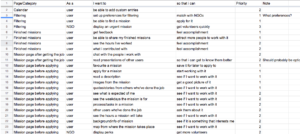
For ideating on functions for the app I started creating user stories. I followed the template: “As a (user), I want to (do some goal/task) so that I can (achieve some outcome).”
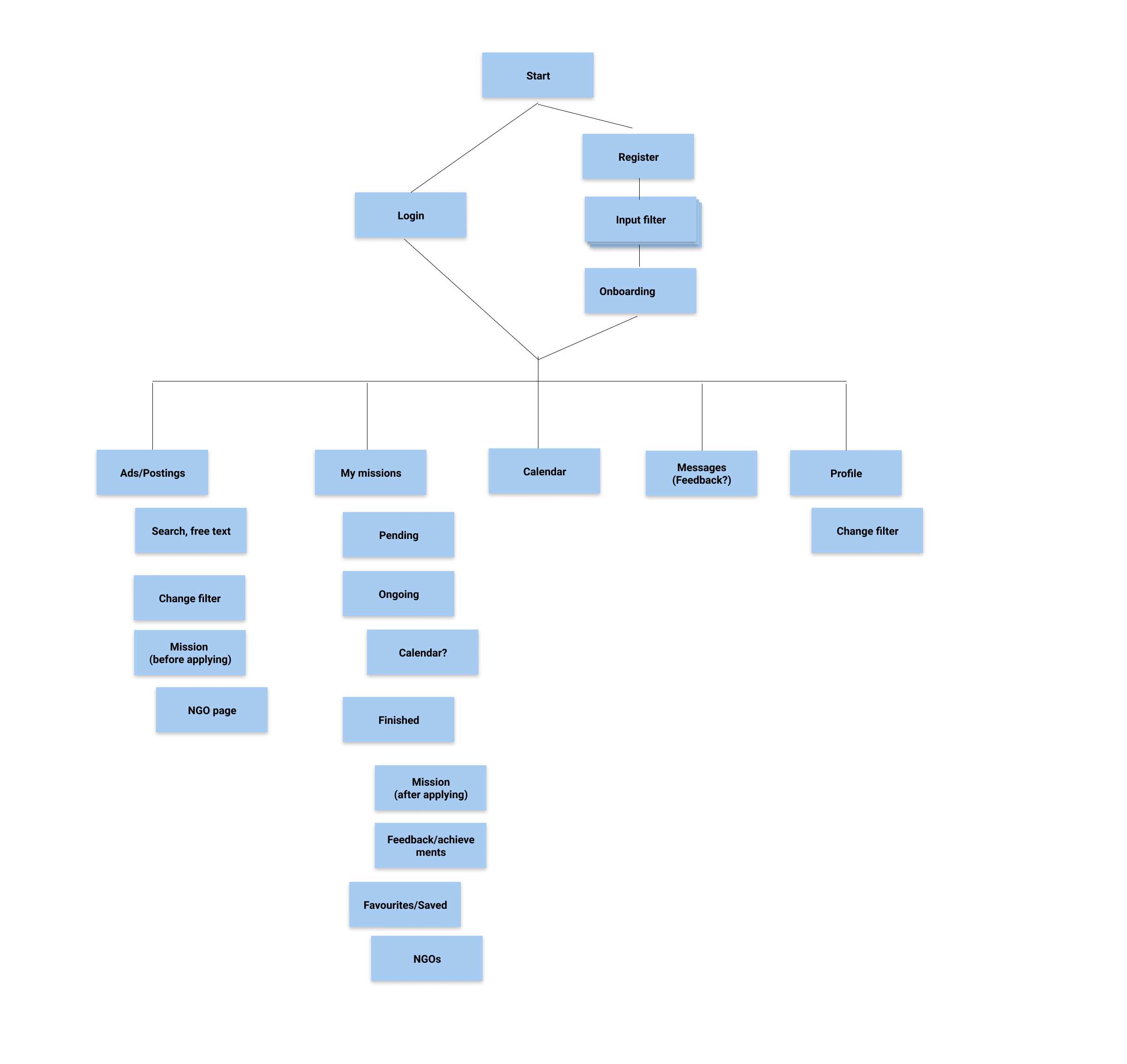
Sitemap
User Flows
To better understand what different types of routes my user would take in my app to achieve a goal I wanted to create user flows. To identify which routes to prioritize I did a Red Route Analysis. From this I chose to make two User Flows.

Login/Register and setup filter

Find/apply for mission

4. Prototype and Test
Sketches
Filter
Alternatives on progress bar

Create/Change Filter

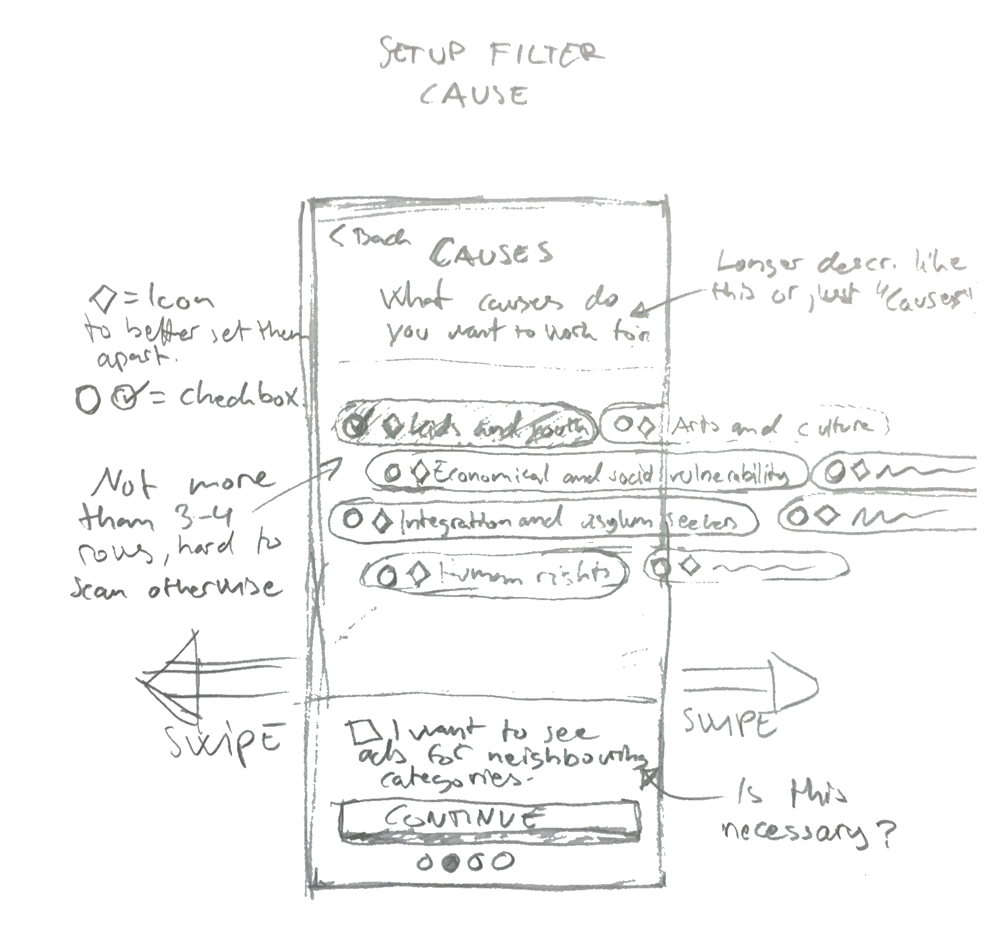
Filter Cause
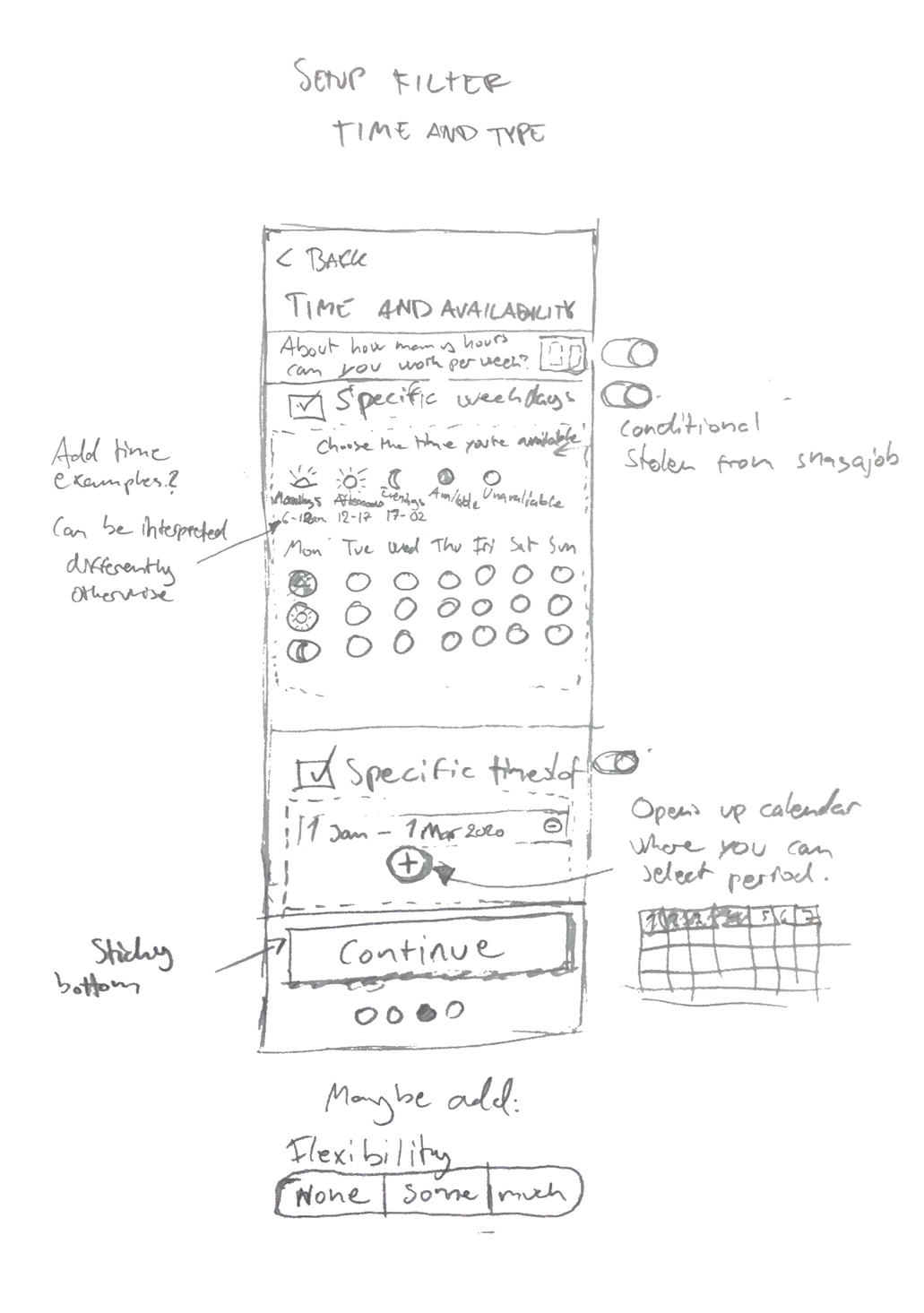
Filter Time
Discover
Discover first sketch

Discover Second Sketch

Discover Third Sketch

Other
Mission page 1

Mission page 2

Feedback to Volunteers

Wireframes
Filter


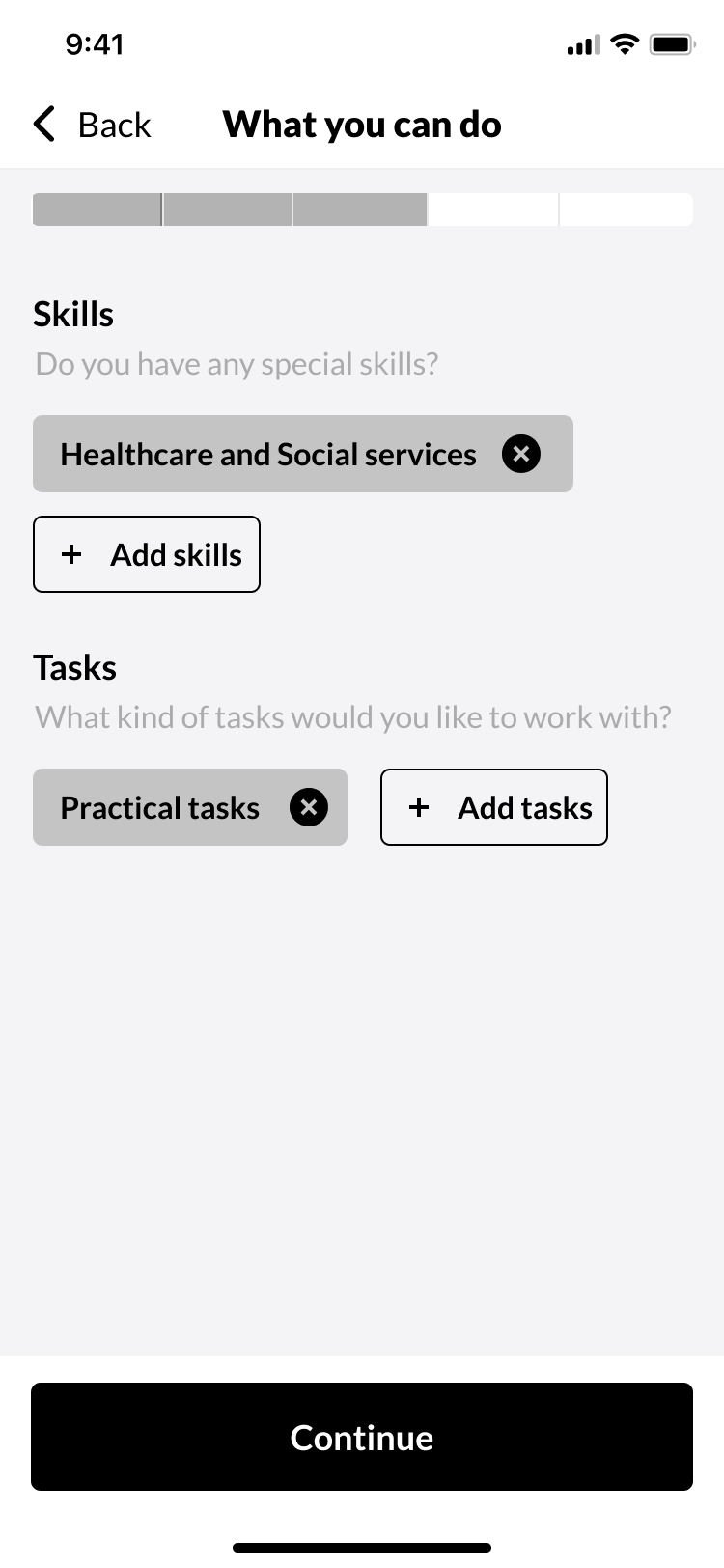


Discover


Prototype

Guerilla Usability Test
To touch base with my users and get some quick initial feedback I wanted to create a guerilla usability test. I started with a list of important tasks that people need to be able to perform on my app. Then I turned them into scenarios. As participants, I used two friends and a colleague.

Changes after test
The test was very valuable to understand my users and where they get stuck. 3 participants was enough to get these initial insights, and they all struggled in similar ways.
Areas of interest/Work abroad
Insight
Users have trouble understanding this section and what it means.
Solution proposition
Rephrase it and maybe move it to causes instead?
Solution
I merged the two functions into one and rephrased it. Instead of “Areas of interest” I named it “Countries of interest”. Work abroad was earlier conditional, now the new function is always shown and will match the users with missions in that country. The section above will determine if it is for volunteering remotely or for traveling to that country. I still think that this could be done better, maybe move it to a new filter page called “Interests” for example?

Time and Availability
Insight
Two of the users got a bit stuck on this. They were unsure how it worked and if it was optional.
Solution proposition
Maybe add an option to just skip past it and set it later if you want?
I can volunteer:
– Anytime
– Set specific time (Here you can activate the three options)
Solution
I chose to skip the option to be able to select a period between two dates when the user is available. Also, the function for weekday and time of day was not optimal. It takes the user a while to understand it and each user might have a different definition of which hours include mornings/afternoons/evenings. I got back to the drawing bord and sketched out a new solution which I think is more intuitive.

Filter on Discover page
Insight
Unclear if the results are filtered or not.
Solution proposition
Put the filter next to the searchbox or in the same area.
Solution
I removed the toggle filter on/off function, moved the filter to Search page and put it beside the search box. I would like to perform another user test to see how users interact with the search, it’s connection to the filter and if they understand where to change the filter.

5. Visual Design
Style Guide

User Interface Design
Filter


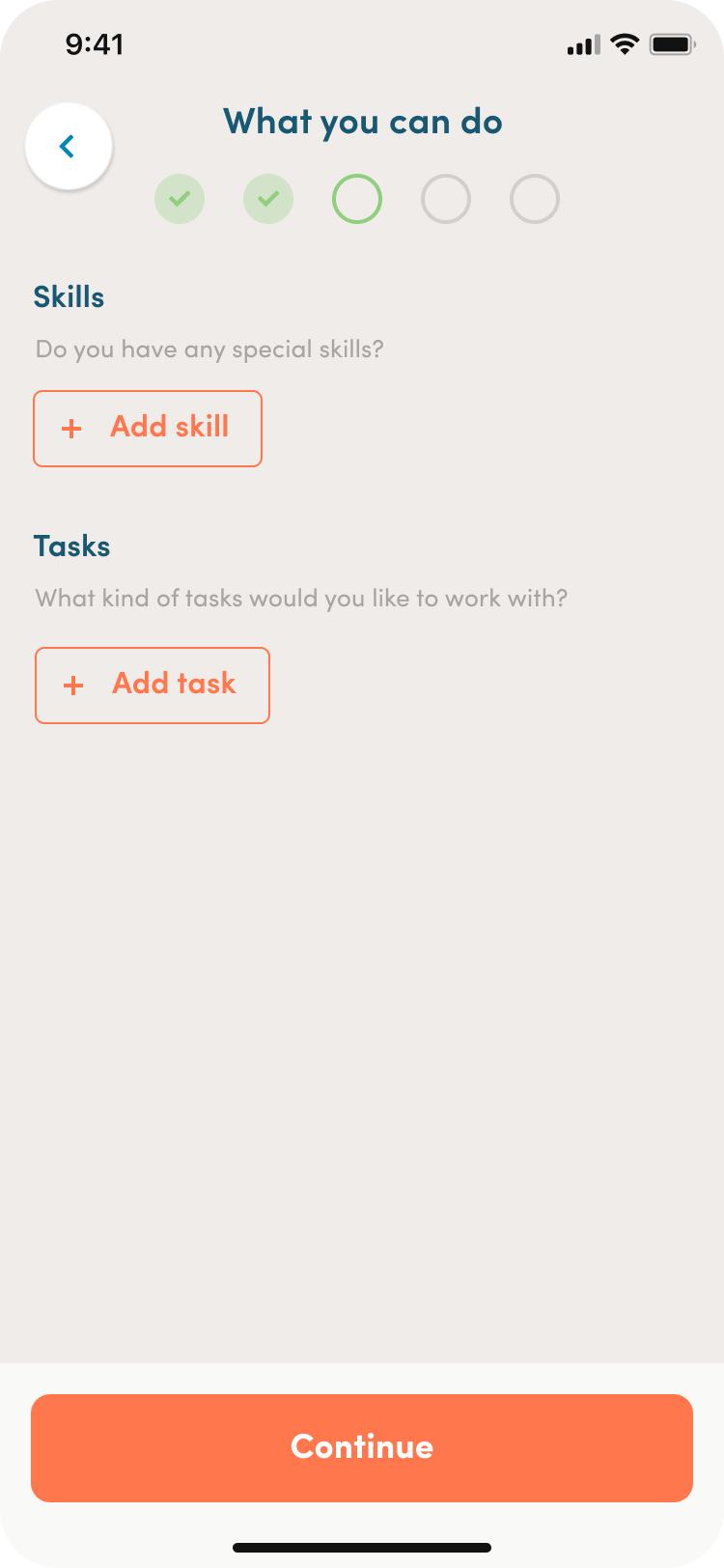


Discover etc


UI prototype recording
Going Forward
If I would continue to work on this project, here is what I would like to do next.
User Testing
The guerilla usability test gave me a lot of valuable insights and it would be really interesting to see what a more elaborate test with a full prototype would result in.
Feedback
I would like to focus on how to give feedback to the volunteers so that they know what difference they make and feel supported by the organization. And in the end, continue to volunteer.
Community
Getting back to my solution idea I would like to encourage users to make contact with one another. Showing your filters, interests, etc on a profile page might help with this.
NGO page
The most important thing for new volunteers was to understand the organizations’ purpose and goal. The NGOs also need to be able to present themselves properly to stand out and compete with other things than salary. An elaborate NGO presentation would benefit both parts in finding each other.
Iterate on filters and matching
I would like to iterate on the filters and make the form easier to fill in, with illustrations and improved usability. It would also be interesting to see how we can match the users with missions based on their interests for example. I think many users will want to get to the results as quickly as possible so maybe split the filter and let the users enter more specifics after checking out the results.
NGO admin panel
One thing I learned from the user interviews was that NGOs struggle with organizing their volunteers. If they could keep it all in one app and organize them from an admin panel I think that would be highly beneficial for them.